
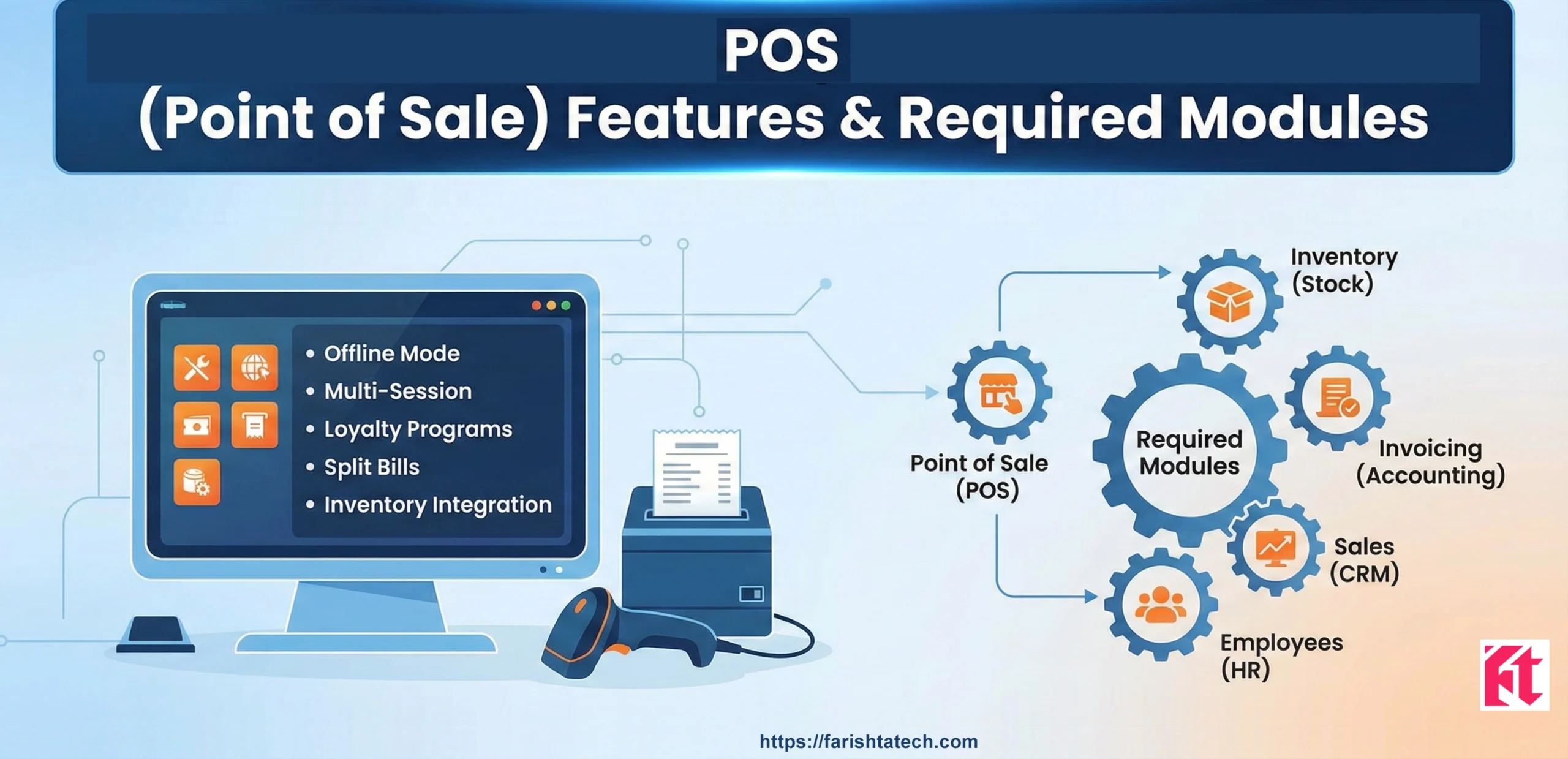
POS Functions & Features in Odoo Community Edition — Detailed Guide
Complete breakdown of POS capabilities, limitations versus Enterprise, dependent modules and OCA alternatives — Farishta Tech
2. Dependent modules (core & optional)
3. Limitations vs Enterprise
4. OCA / Third-party extensions
5. Best use cases and deployment tips
6. Summary
1. Major POS Features in Odoo Community Edition
Odoo Community's POS is a lightweight, browser-based point-of-sale system integrated with Odoo's inventory, product and sales models. It provides core retail operations suitable for small shops, cafes and boutiques. Below are the key built-in features.
1.1 Real-Time POS Sales
POS is connected to the backend in real-time. Orders placed at cashier terminals update product stock and create POS order records instantly (when the server is reachable).
1.2 Product Management
- Product listing with name, category and price
- Product images are shown in POS catalog
- Product variants (size, color) supported via the product variant model
- Tax configuration per product
- Line-level discounts and basic price list support
- Unit of measure (UoM) support
- E-commerce web application integrated
Note: Barcode scanning and advanced product search are limited in Community without extra modules.
1.3 Customer Management
- Create and edit customers directly from the POS interface
- Search customers by name or barcode (if barcode modules present)
- Generate customer invoices from POS orders
1.4 Sales & Checkout Operations
- Add multiple products to cart and adjust quantities
- Apply discounts per line or globally
- Order notes and internal references
- Partial payments and multiple payment methods (cash, bank, other)
- Support for refunds and order cancellations
- Split bills and draft order saving
1.5 Payment Handling & Session Management
POS sessions track cashier activities:
- Start/close session flows
- Cash in / cash out transactions
- End-of-day totals and basic reconciliation
- Payment journal entries created for sales
1.6 Inventory Integration
On order validation, the POS updates inventory by creating stock moves. Stock valuation is affected if stock valuation modules are enabled. Inventory behavior is controlled by the stock and product modules.
1.7 Receipts, Printing & Reports
- Printable receipts via browser printing
- Customize receipt header (logo) and basic layout
- Session and sales reports: sales per product, payments summary, session totals
1.8 Users & Access Control
- POS user roles (cashier, manager)
- Cashier login with PIN (configurable)
- Permissions via standard Odoo groups/ACLs
1.9 Basic Offline Behavior
Important: Community POS requires a live connection to the server. Unlike Enterprise, it does not officially support robust offline mode; some community solutions attempt limited offline caching but reliability is lower.
2. Dependent Modules (Core & Optional)
POS functionality in Community depends on a set of core Odoo modules and several optional modules for enhanced behavior. Below are core dependencies and commonly used optional modules.
2.1 Core Required Modules
| Module | Purpose |
|---|---|
point_of_sale |
Main POS application and UI |
product |
Product master data (variants, prices) |
stock |
Inventory updates and stock moves |
account |
Basic accounting entries for sales and payments |
sale_management |
Sales order integration and pricelists |
web |
POS web client framework |
bus |
Real-time communication between POS and backend |
2.2 Recommended Optional Modules
stock_account— Connect stock valuation to accountingpos_discount— Advanced discount behaviorspos_cash_rounding— Cash rounding rulespos_epson_printeror community printer bridges — Improve printingl10n_xx— Country-specific tax/localization modules
3. Limitations of POS in Community Edition (vs Enterprise)
Odoo Enterprise includes many retail-ready capabilities not present in Community. Be aware of these limitations so you can plan custom development or third-party modules when needed.
- Offline Mode: No robust offline POS; Enterprise supports offline operation.
- IoT & Hardware: No official IoT box support for printers, barcode scanners and cash drawers—Enterprise offers integrated IoT devices.
- Loyalty & Gift Cards: Not available out-of-the-box.
- Advanced Restaurant UI: Kitchen order tickets, floor plans and table management are limited (community variants exist but are less polished).
- Integrated Payment Terminals: No official payment terminal integrations in Community.
- Advanced Reporting & BI: Enterprise adds richer analytics for POS operations.
4. OCA & Third-Party Extensions — Extend POS in Community
The Odoo Community Association (OCA) and third-party vendors provide many add-ons that bridge gaps in the Community POS. Examples include:
- Barcode scanning modules — Fast scanning and search
- pos_restaurant (community) — Adds restaurant flows, kitchen tickets (community-maintained)
- pos_loyalty — Implement loyalty point systems
- pos_pricelist — Advanced price rules
- pos_multi_session — Improve concurrent session handling
While OCA modules are powerful, they often require careful testing and occasional custom fixes to integrate cleanly with your specific Odoo version and custom modules.
5. Best Use Cases & Deployment Tips
5.1 Best Use Cases
- Small retail stores with moderate transaction volume
- Cafés and small restaurants that can accept online operations rather than offline
- Pop-up stores or seasonal shops
- Stores that require deep customization and have developer resources
5.2 Deployment & Performance Tips
- Use NVMe-backed hosting for fast database I/O and quick POS responses.
- Separate DB and app servers for medium and large deployments to improve concurrency.
- Enable pgbouncer to pool PostgreSQL connections when multiple POS terminals are active.
- Configure workers (odoo workers / proxies) to handle concurrent requests and background jobs.
- Set up daily backups and test restore procedures to protect sales data.
- Implement monitoring for CPU, memory, disk I/O and PostgreSQL performance metrics.
- Test OCA/third-party modules thoroughly before production deployment.
6. Summary — Quick Feature Matrix
| Feature | Community (Core) | Enterprise / Notes |
|---|---|---|
| Real-time POS Orders | ✔️ | ✔️ |
| Offline mode | ❌ | ✔️ |
| Barcode scanning | Limited / via modules | ✔️ (native) |
| IoT hardware | ❌ | ✔️ |
| Loyalty & Gift cards | ❌ | ✔️ |
| Receipt printing | Browser-based / limited | ✔️ (better integration) |
| Advanced reports | Basic | Advanced |
| Restaurant features | Basic / community modules | Advanced |
Want help implementing or extending POS?
Farishta Tech provides POS installation, customization, OCA integration, deployment on performance-optimized servers, and monitoring. Contact Farishta Tech for a consultation and tailored plan.